
Activity Alerts: Get notified when funds move
An investigation rarely ends when the trail goes quiet. A perpetrator’s wallet sits still for weeks, then moves the funds within minutes. A ransom address receives a payment. Funds that waited at a collector address are finally sent to an exchange, where they can be frozen. Until now, noticing that meant coming back to Pathfinder and checking the address again, day after day.
Activity alerts take over the checking. An investigator watches an address in Pathfinder, and Iknaio reports when it sends or receives funds: in the dashboard as soon as the transaction is seen, and by email, either right away or once a day. Activity alerts are available in beta from today.
Watching an address
Watching starts where the investigation already happens: in Pathfinder. The bell in an address’s details panel starts an alert, and so does Watch this address in its right-click menu.
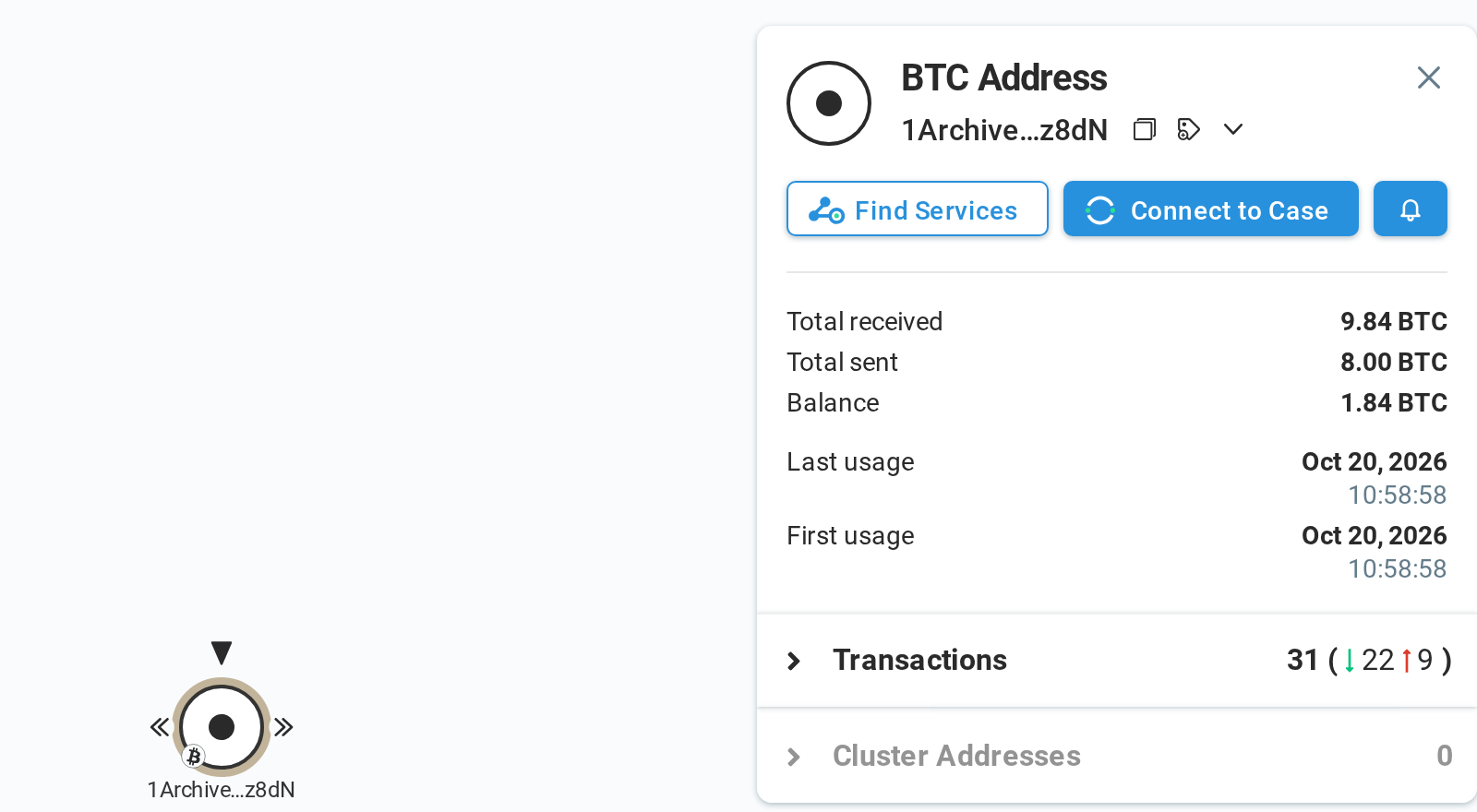
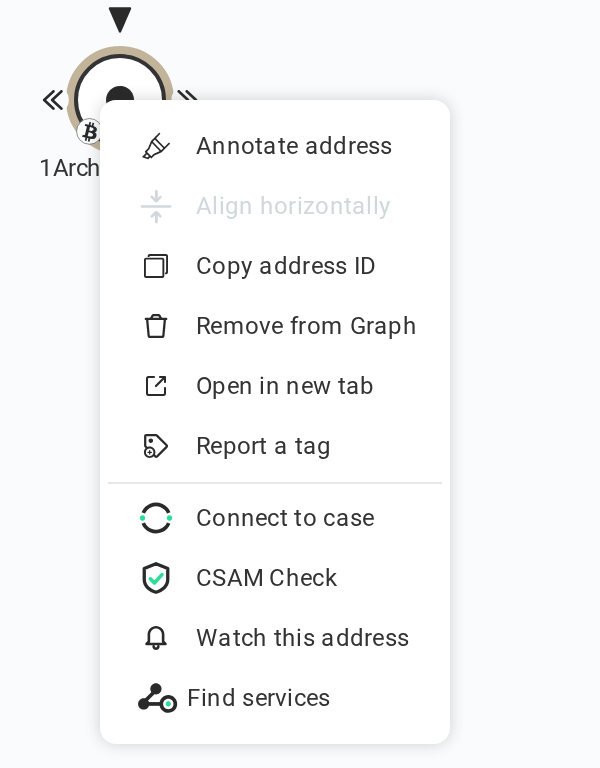
The alert starts from that moment and reports the transactions that follow. The address’s earlier history stays where it always was, in Pathfinder.
Deciding what counts
Not every transaction on an address deserves an email, so watching an address opens a dialog that sets what the alert reports. Take a wallet from a fraud case where the stolen funds, mostly stablecoins, have been sitting for weeks. What matters is the moment they move on. The small transfers that keep arriving in the meantime are noise.
The alert name is the investigator’s own note, shown in the feed and in every email. It is filled in from the address’s attribution tag when there is one, but the tag only says who controls an address. The name is the place for what it means in the investigation: the case number, the role of the address, the suspect it belongs to. It belongs to the alert alone, and only its owner sees it.
For our wallet, the alert is narrowed down to outgoing transfers, only in USDT and USDC, and only above 10,000 USD. A minimum can be set in USD or EUR, or in the coin itself when the alert watches a single currency, and on blockchains with tokens the alert can cover every transfer or only selected tokens. Transfers with a value of zero are left out unless requested: on Ethereum-like blockchains they are mostly the contract calls behind token transfers, which already count as the transfers themselves, and sometimes address-poisoning spam.
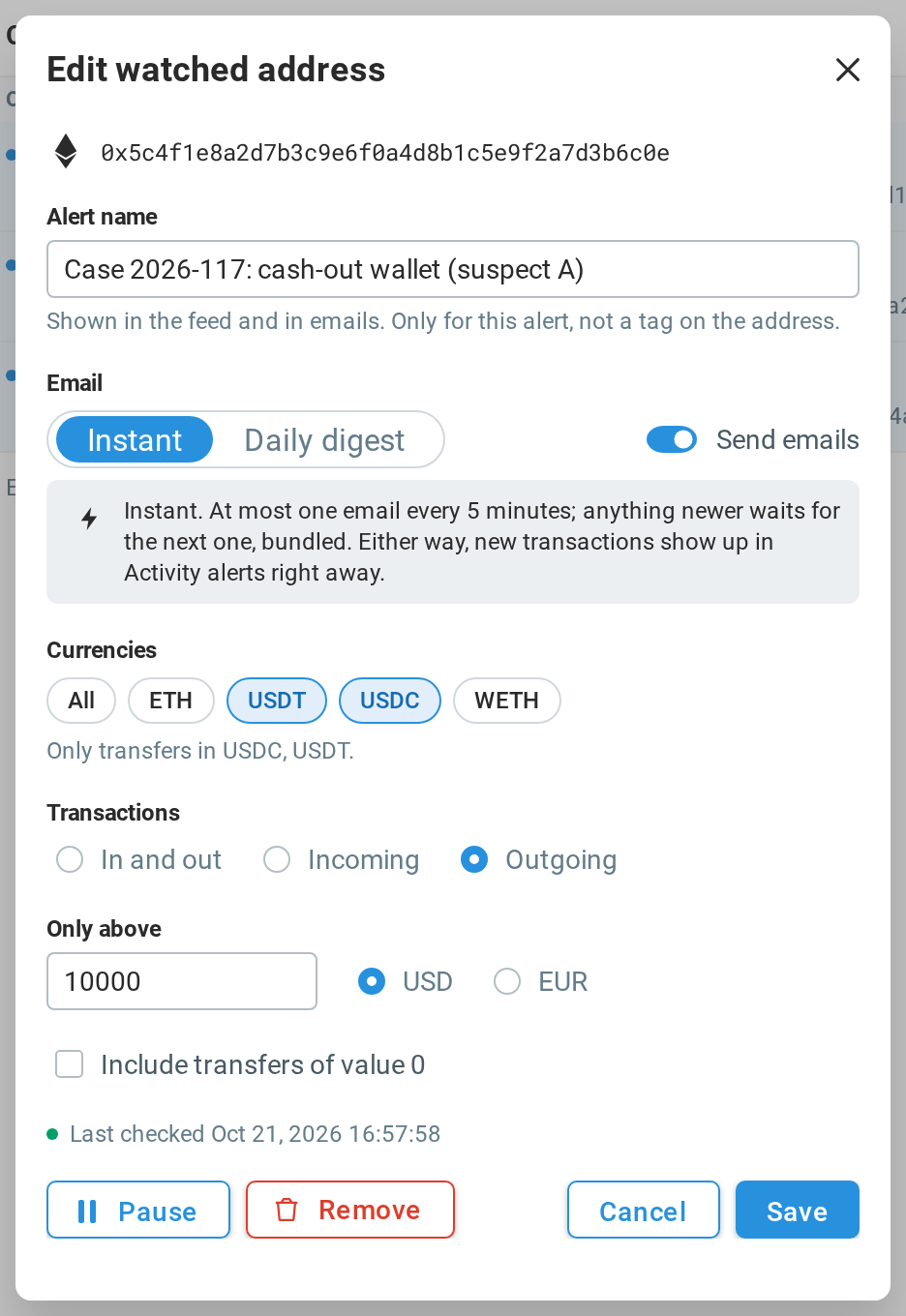
Finally, the alert sets how its owner hears about it: an email right away, a daily digest, or no email at all, so that the transactions only show up in the dashboard. All of this can be changed later, and an alert can be paused, have only its emails paused, or be removed.
The Alerts page
All watched addresses and their transactions come together on the new Alerts page in the dashboard sidebar. The list on the left shows each watched address with its name, its blockchain, how many new transactions it has and whether checking it works. Search and filters help once the list grows. On the right, the feed lists the transactions, newest first. Selecting an address narrows the feed to its own transactions.
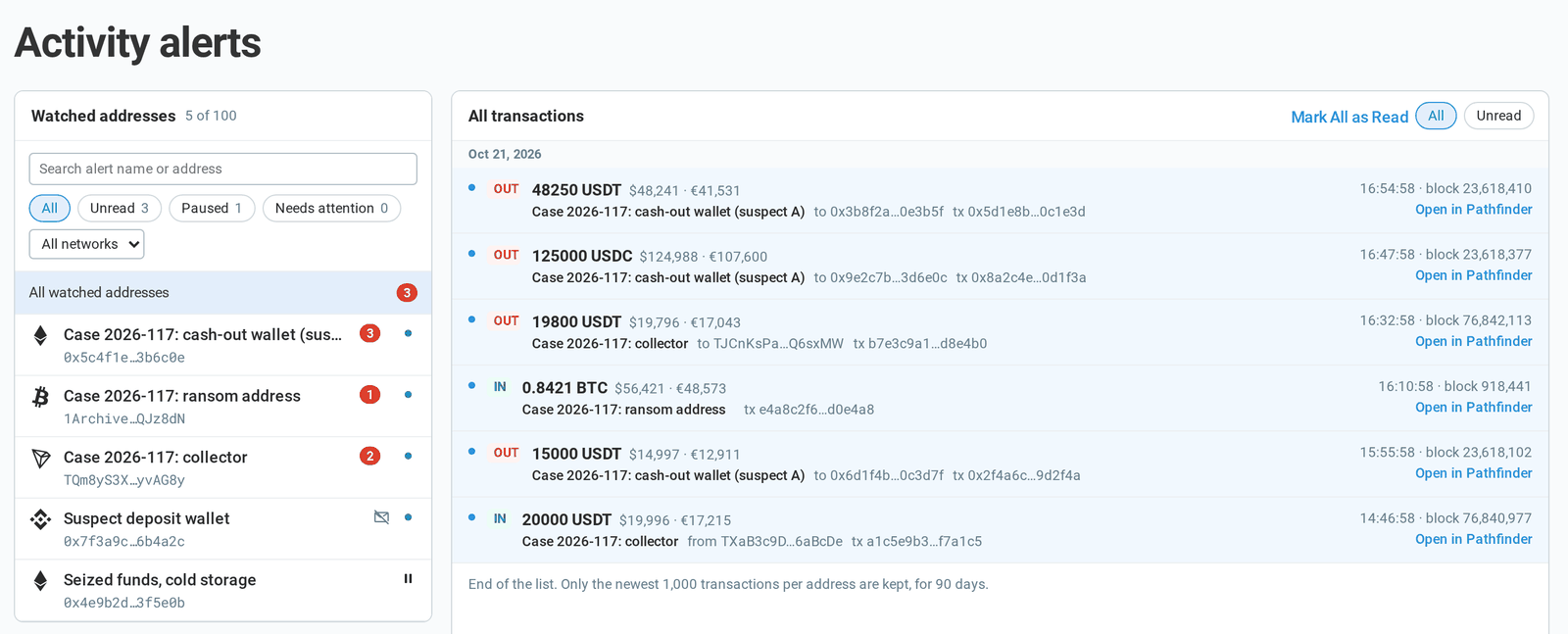
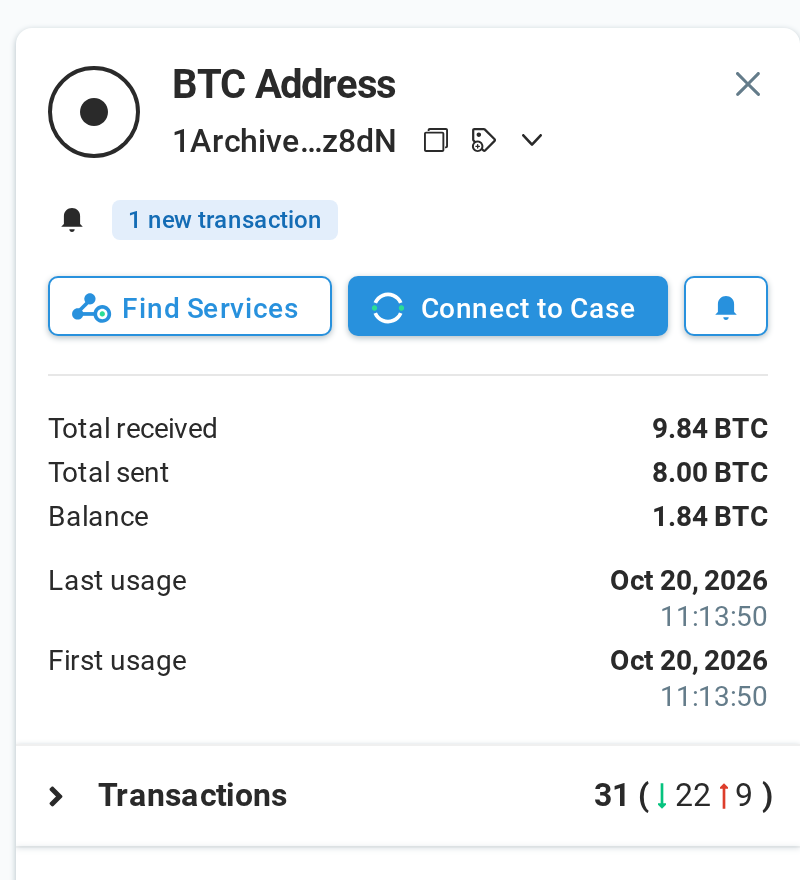
The badge on the sidebar entry counts addresses with something new, so a burst of five hundred transfers on one address is one thing to look at. Back in Pathfinder, a watched address with new transactions shows them in its details panel, with a link to its feed.
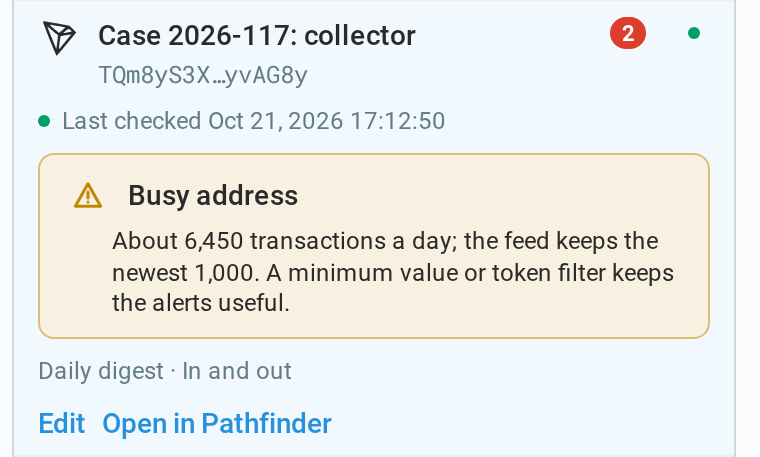
Some addresses are busier than others. When an address has more transactions a day than the feed keeps, the alert says so and suggests a minimum value or a token filter, so the alert keeps to the transfers that matter.
Emails
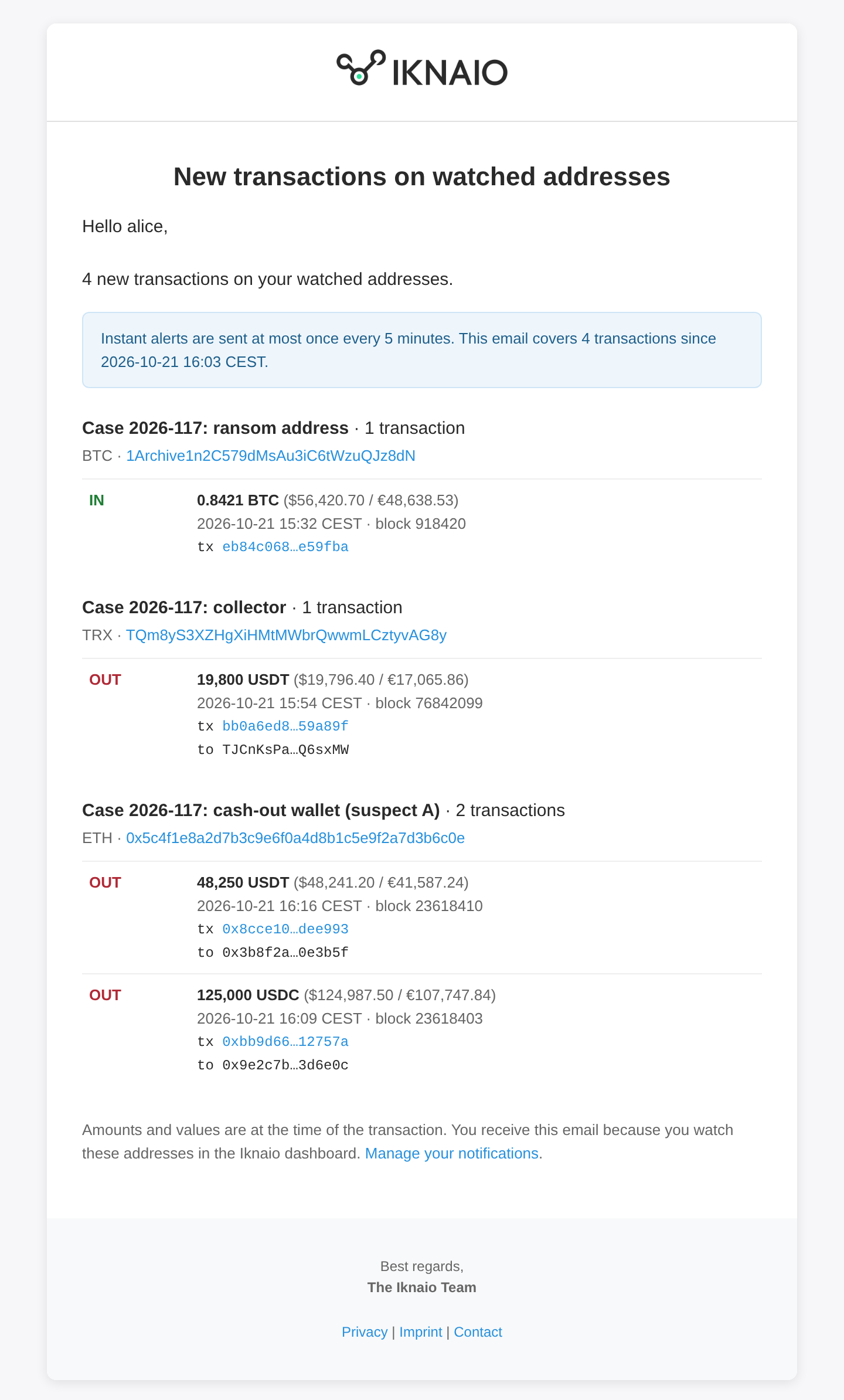
Each alert sends email in one of two rhythms. With Instant, an email goes out as soon as a transaction is seen, but at most one every five minutes: whatever arrives in between waits and goes out with the next one, and a busy afternoon fits into a handful of emails. The Daily digest collects everything new into one email a day, sent at midnight in the recipient’s time zone.
An email lists the most recent transactions per address, with their values, counterparties and links straight to the address and the transaction in Pathfinder. When there are more than it can list, it counts them and links to the feed.
Which blockchains
Activity alerts work on all fourteen blockchains in Pathfinder: the core blockchains Bitcoin, Bitcoin Cash, Litecoin, Zcash, Ethereum and Tron, and the eight new blockchains in Lite mode , such as BNB Smart Chain, Arbitrum and Base, for accounts that have them. On blockchains with tokens, alerts cover the native coin and the tokens Iknaio supports.
Getting access
Activity alerts are included in the Professional and Institutional plans. If you are on another plan and would like to try them, contact us . We look forward to your feedback on the beta.